
Download PDF Signer – Free Secure PDF Signing Tool
Overview
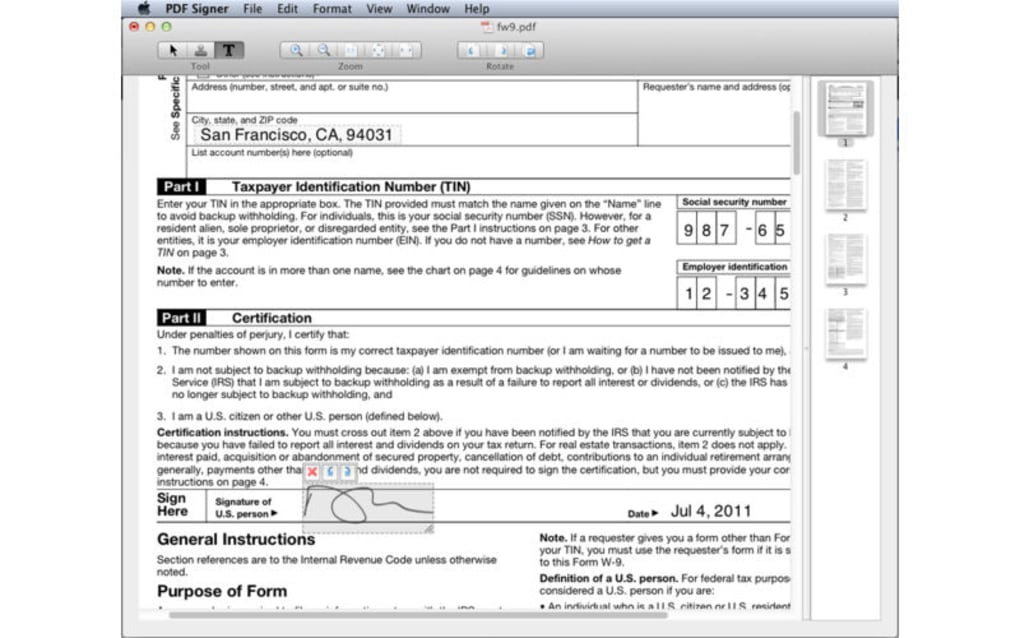
PDF Signer is a lightweight yet powerful application that lets you fill, sign, and annotate PDF documents without ever needing a printer or scanner. Designed for professionals, freelancers, and anyone who regularly handles contracts, agreements, or forms, PDF Signer provides a seamless workflow for digital signatures. The tool supports adding text in any font style, size, highlight, and color, giving you full control over how your document looks.
You can also import a scanned signature image, adjust its orientation, and resize it with precision. One of the standout features is the ability to rotate an entire PDF with a single click—ideal for landscape‑oriented contracts or scanned documents that are upside down. PDF Signer ensures that the file size remains compact, avoiding the bloated PDFs that many other signing tools produce.
Once you’re satisfied with the changes, you can instantly save the new PDF, share it via email, or print it directly from the application. The interface is clean, intuitive, and built for speed, making it perfect for both tech‑savvy users and beginners alike.
Key Features that Set PDF Signer Apart
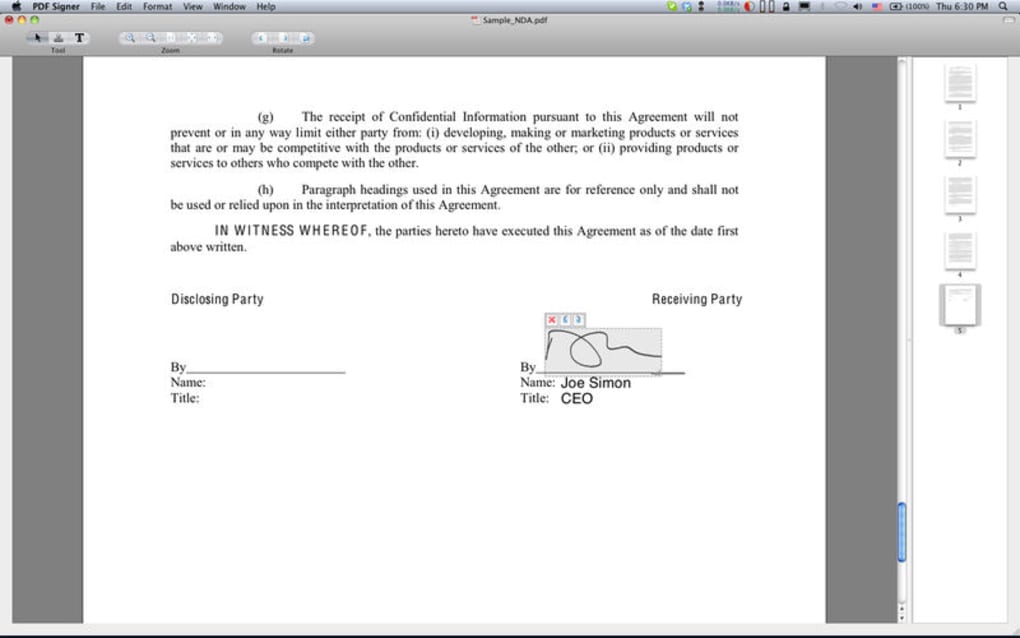
- Instant Digital Signing: Add a scanned signature or draw one directly in the app, then position, rotate, and resize with pixel‑perfect accuracy.
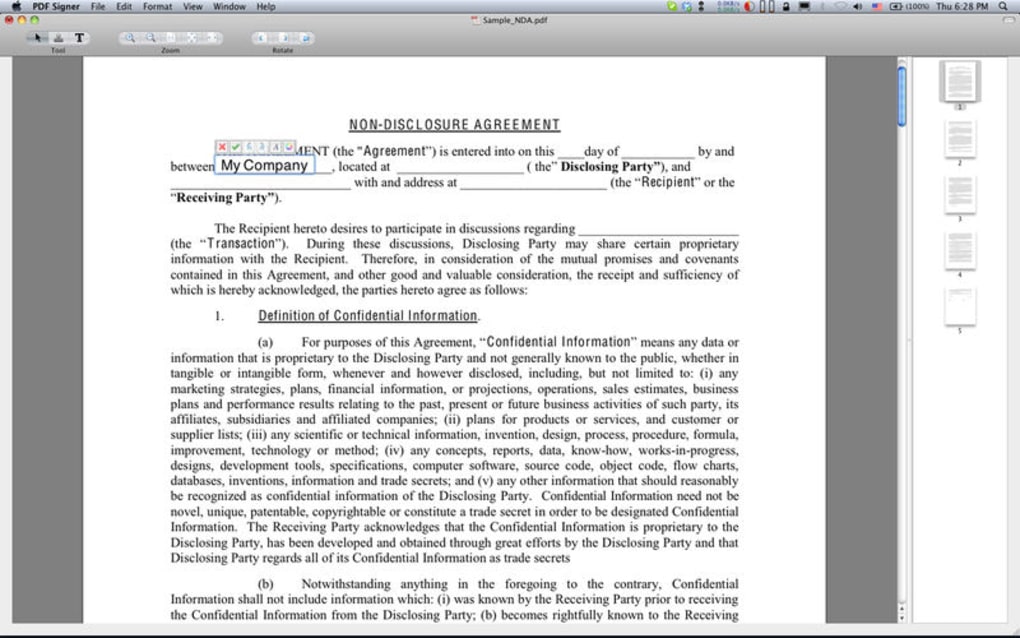
- Full Text Editing: Insert text boxes anywhere in the document, choose from a wide range of fonts, sizes, colors, and highlight options.
- One‑Click Document Rotation: Rotate pages clockwise or counter‑clockwise without affecting the original layout.
- File Size Optimization: PDF Signer compresses the final file, preserving quality while keeping the size low for easy emailing.
- Secure Saving & Printing: Save the edited PDF directly to your device, cloud storage, or print it without leaving the app.
- Cross‑Platform Compatibility: Works on Windows, macOS, Android, and iOS, ensuring you can sign documents on any device.
- Batch Processing: Sign multiple PDFs in one session, perfect for handling contracts or employee agreements in bulk.
- Privacy‑First Design: No internet connection required for core signing functions, meaning your documents never leave your device unless you choose to share them.
Installation, Usage Instructions, and Compatibility
Step‑by‑Step Installation
Installing PDF Signer is straightforward. For Windows users, download the .exe installer from the official website, run the file, and follow the on‑screen prompts. macOS users will receive a .dmg file; simply drag the PDF Signer icon into the Applications folder. Mobile users can find the app in the Google Play Store for Android or the App Store for iOS. All installers are digitally signed to guarantee a secure, malware‑free experience.
Getting Started Quickly
After launching the app, you’ll be greeted by a clean dashboard with three main options: Open PDF, Sign Document, and Settings. Click Open PDF to browse your local files or cloud storage. Once the file loads, a toolbar appears at the top, offering tools for text insertion, signature placement, rotation, and highlighting.
To add a signature, select the Signature tool, then either draw directly with your mouse or stylus, or upload a scanned image of your handwritten signature. Drag the signature to the desired spot, use the corner handles to resize, and rotate if needed. For text fields, choose the Text tool, click where you want to type, and customize the font and color using the side panel.
Compatibility Across Devices
PDF Signer runs smoothly on the following operating systems:
- Windows 10, 11 (64‑bit)
- macOS 12 Monterey and later
- iOS 15 and later (iPhone & iPad)
- Android 10 and later
The app leverages native APIs on each platform to ensure optimal performance. On desktop, it integrates with the system’s default PDF viewer, while on mobile it uses touch‑optimized gestures for dragging and scaling signatures. Updates are delivered automatically via the respective app stores, keeping you protected with the latest security patches and feature enhancements.
Pros, Cons, and Frequently Asked Questions
Pros
- Free to download and use for basic signing tasks.
- Intuitive UI that requires minimal learning curve.
- High‑quality signature rendering without increasing file size.
- Cross‑platform support ensures you can sign on any device.
- Offline functionality protects sensitive documents.
Cons
- Advanced features like password protection are locked behind a premium upgrade.
- No built‑in cloud collaboration tools (you must use external services).
- Limited OCR capabilities for converting scanned PDFs into editable text.
FAQ
Is PDF Signer completely free?
The core signing and form‑filling features are free. A premium tier is available for users who need password protection, advanced encryption, and batch processing.
Can I sign PDFs on my iPhone?
Yes. PDF Signer is available in the Apple App Store and fully supports touch gestures for drawing or placing a signature on iOS devices.
Does the app keep my signature image secure?
All signature images are stored locally on your device unless you explicitly upload them to a cloud service. The app does not transmit signature data over the internet during normal operation.
How does PDF Signer handle large PDF files?
The software uses an optimized rendering engine that keeps memory usage low, allowing you to edit PDFs up to 100 MB without noticeable lag. The final file is compressed to reduce size.
Can I rotate an entire multi‑page document?
Yes. PDF Signer provides a one‑click rotation tool that applies to all pages, making it easy to correct orientation for scanned contracts or presentations.
PDF Signer delivers a solid, free solution for anyone who needs to sign PDFs quickly and securely. Its offline capability and minimalistic design make it a standout among competitors that often require costly subscriptions.
Conclusion – Get Started with PDF Signer Today
In a world where paperless workflows are becoming the norm, having a reliable tool to sign PDFs without printing is essential. PDF Signer meets that need with a blend of simplicity, speed, and security. Whether you’re finalizing a freelance contract, approving a legal agreement, or filling out a government form, the app’s intuitive interface lets you complete the task in minutes. The free tier covers most everyday scenarios, while the optional premium upgrade offers advanced security for businesses that handle highly confidential documents. Download PDF Signer now, enjoy a hassle‑free signing experience, and keep your documents fully digital, secure, and compliant.
Click here to download PDF Signer for free and start signing your PDFs instantly.







